Open the lab
[ YOUR LAB FILE ]
Download the starting topology, then work through the lesson in SwitchLab.
- Save the .swlab file without renaming its extension.
- Open SwitchLab. Import and export controls currently require a desktop-width window. On a smaller screen, Tools → Fit brings the topology into view.
- Select Import Sandbox (folder icon), choose the downloaded file, and confirm the device and cable counts below.
- Select a device, then choose Open device on desktop or its name in the bottom bar on smaller screens. Select CLI for switches/routers or Desktop → Terminal for PCs. Enter
enableonly when the prompt ends in >. - Follow this page beside the simulator. Use a free account to export your work. Reimport the original download to restart; export any work you want to keep first.
Prerequisites
- Complete IPv4 addressing and static routing lessons.
Topology
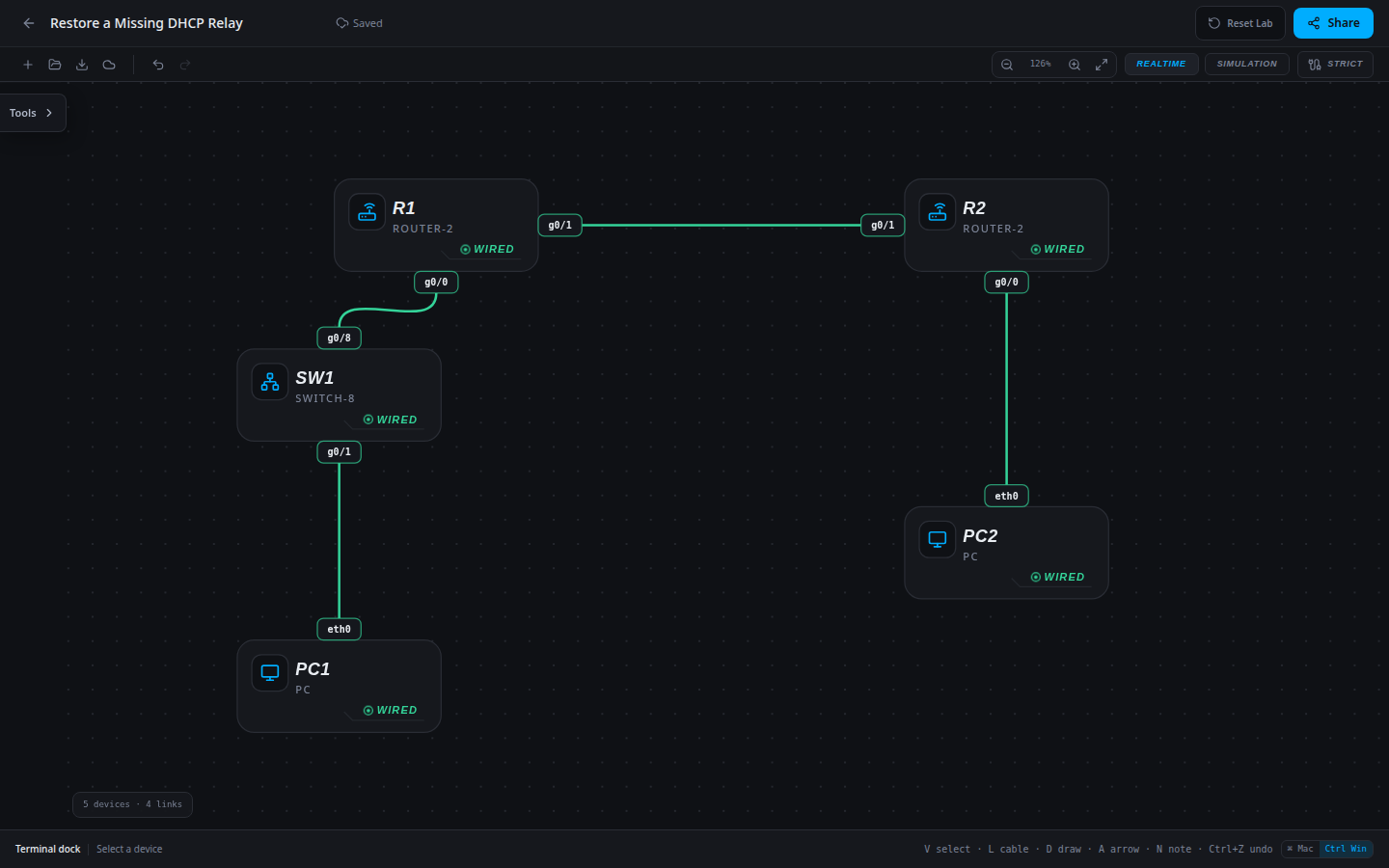
5 devices · 4 links
Scenario
PC1 lost automatic addressing after a gateway configuration cleanup. R2 still has the correct USERS pool and a return route. Locate the missing relay setting instead of creating an unrelated local pool.
Objectives
- Verify the approved DHCP pool and gateway option.
- Obtain a valid client lease and prove routed delivery.
- Verify relay placement on the client-facing interface.
CCNA blueprint
200-301 v1.1 objectives — this lab covers the following specific skills, not every subtopic in the domain.
- 4.3 — Explain the role of DHCP in automatic addressing.
- 4.6 — Configure and verify DHCP client and relay behavior.
Starting information
- PC1 must remain a DHCP client on 10.10.10.0/24 with gateway 10.10.10.1. Reserve 10.10.10.1 through 10.10.10.19.
- PC2 is the static remote test host at 10.20.20.20. Both intersite routes are already configured.
- The approved USERS pool belongs on R2. R1 g0/0 must relay to R2 at 10.0.12.2.
- The isolated lab has one DHCP client, so the first available lease is 10.10.10.20. A real shared pool may allocate a different valid address.
| Host | IPv4 address | Mask | Gateway |
|---|---|---|---|
| PC1 | 255.255.255.0 | None | |
| PC2 | 10.20.20.20 | 255.255.255.0 | 10.20.20.1 |
| Router | Interface | IPv4 address | Mask |
|---|---|---|---|
| R1 | g0/0 | 10.10.10.1 | 255.255.255.0 |
| R1 | g0/1 | 10.0.12.1 | 255.255.255.252 |
| R2 | g0/0 | 10.20.20.1 | 255.255.255.0 |
| R2 | g0/1 | 10.0.12.2 | 255.255.255.252 |
| Device / port | Device / port |
|---|---|
| R1 / g0/1 | R2 / g0/1 |
| PC2 / eth0 | R2 / g0/0 |
| PC1 / eth0 | SW1 / g0/1 |
| SW1 / g0/8 | R1 / g0/0 |
Tasks
- Inspect PC1 with
ipconfig /all, the approved server’s DHCP pool/binding output and the relevant router configuration. Record the initial symptom. - Implement the approved pool or relay correction; keep PC1 in DHCP mode and preserve both static routes.
- On PC1 run
ipconfig /renew, thenipconfig /all. Verify the /24 mask, gateway and non-reserved lease address. - Ping 10.20.20.20 from PC1 and the leased 10.10.10.20 from PC2. Match PC1 to the server binding, save/export and verify after reload.
Useful commands
show running-config
show ip route
show ip dhcp pool
show ip dhcp binding
copy running-config startup-config
Progressive hints
Hint 1
Separate failure to obtain a lease from receiving a lease with incorrect options.
Hint 2
A client broadcast does not cross a router by itself; a remote server needs a relay and a usable return path.
Hint 3
Use the approved pool on R2, add ip helper-address 10.0.12.2 on R1 g0/0, then renew PC1.
Verification
- PC1 leases 10.10.10.20/24 with gateway 10.10.10.1 in this isolated topology.
- The server binding agrees with the client configuration.
- PC1 and PC2 reach each other after renewal and after completed-network reload.
Solution / walkthrough
Show Solution
Use enable only from a > prompt; if already at #, begin with configure terminal.
R1
Restore the missing relay on the client-facing LAN interface, preserving the server pool and both static routes.
enable
configure terminal
interface g0/0
ip helper-address 10.0.12.2
end
copy running-config startup-config
PC1
Obtain a fresh lease after the server or relay change, then inspect ipconfig /all and test off-subnet delivery.
ipconfig /renewRun every verification check above after the changes. A saved configuration alone does not prove packet delivery.